What Is an API Portal? 7 Powerful Benefits Explained
Connecting applications with services from different companies used to be a complex challenge, often requiring developers to piece together outdated information with the hope that an API (Application Programming Interface) would function as expected. This frustrating experience highlights the value of a modern API portal. It provides a clear, organized, and centralized resource, shifting the process from a difficult search to an efficient exploration.
An API portal is a centralized, self-service platform that serves as the primary interface between API providers and the developers who consume their services. It is a complete toolkit and instruction manual, giving developers all the necessary tools and information, like detailed guides, interactive examples, and other resources. This makes it much easier for them to find, understand, test, and discover how to connect APIs into their own applications or software.
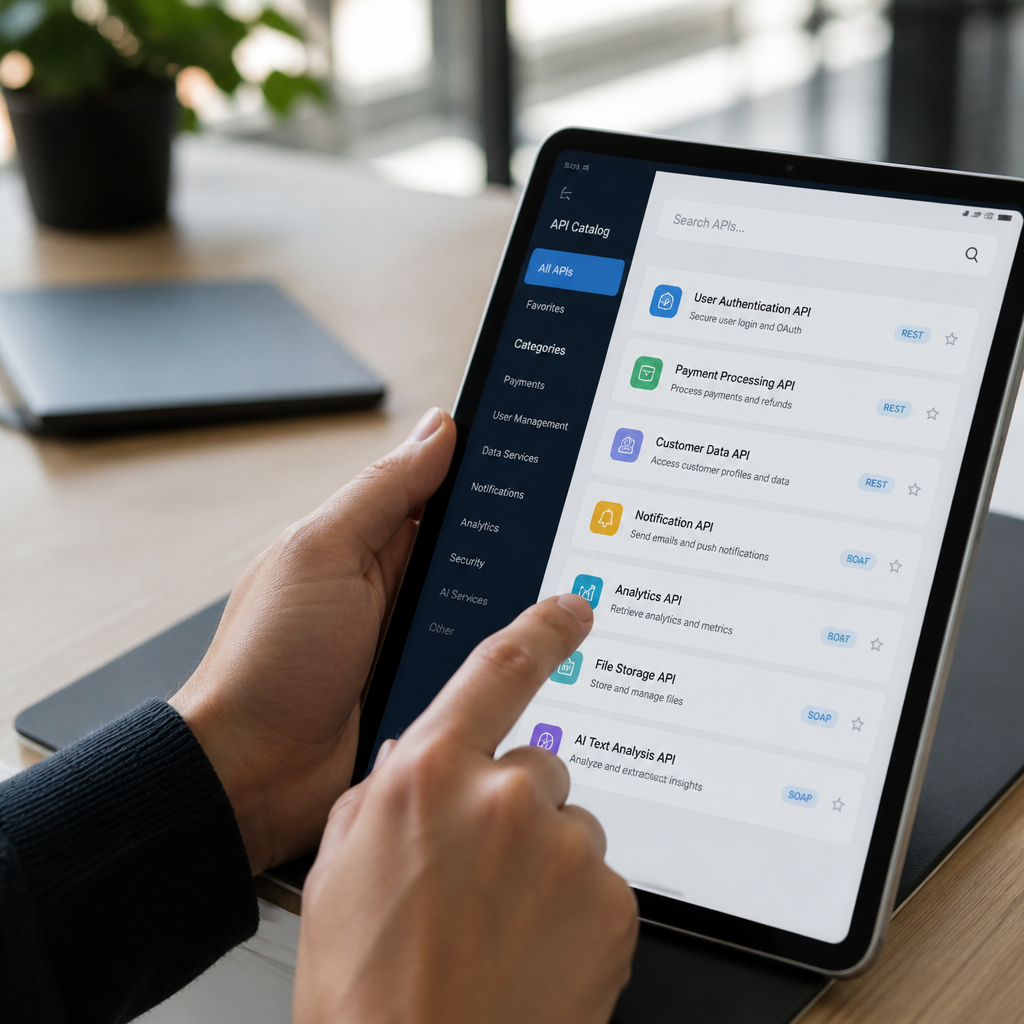
Typically, an API portal consists of several key components. These include a catalog of available APIs, comprehensive documentation explaining API functionality, and secure access mechanisms like API key generation. Many platforms also offer practical resources such as ready-to-use code snippets and SDKs (Software Development Kits) to simplify development. A highly valuable feature in modern portals is the “interactive API explorer” or “sandbox.” These tools let developers test API calls directly within the portal without writing any code, which can drastically reduce the time it takes for a developer to make their first successful API call.
The importance of API portals is growing rapidly as APIs become the backbone of digital business transformation. The API management market, of which these portals are a key component, was valued at $5.1 billion in 2023 and is projected to reach $25.1 billion by 2030. This significant growth indicates that businesses recognize a user-friendly portal is essential for fostering developer adoption and building a vibrant community. These platforms support various API specifications like OpenAPI (formerly Swagger), RAML, and API Blueprint, enabling the automatic generation of documentation and interactive tools. A good portal also helps developers manage their API keys, view usage statistics, understand rate limiting, get clear error code explanations, and submit support tickets, creating a comprehensive environment that empowers developers.
Core Concepts of an API Portal

API Portal Key Features
The key features of an API portal are the essential tools and functionalities that simplify API discovery, testing, and integration for developers while providing API providers with the means to manage, monitor, and support their developer community. A well-designed portal acts as a central hub that significantly improves how developers experience and interact with APIs. These features often include:
- Interactive API Documentation: This dynamic documentation is often generated automatically from API specifications like OpenAPI, ensuring it is always current. It typically includes a “Try it out” feature, allowing developers to make live API calls directly from their browser, providing immediate feedback and accelerating their understanding of the API.
- Developer Onboarding and Authentication: Good platforms offer a streamlined, self-service registration process. This includes automated API key provisioning and support for modern security standards like OAuth 2.0, reducing the time it takes for a developer to get access from days to minutes.
- API Catalog and Discovery: An organized and searchable list of all available APIs acts as a library catalog. It allows developers to filter by category, view version information, and see deprecation notices, helping them quickly find the right APIs for their projects.
- Code Samples and SDKs: Providing pre-written code snippets in multiple popular programming languages (like Python, JavaScript, and Java) and downloadable Software Development Kits (SDKs) significantly reduces the amount of boilerplate code developers need to write.
- Analytics and Usage Monitoring: Dashboards provide developers with near-real-time data on their API usage, including call volume, response times, error rates, and quota consumption. This visibility helps them monitor performance, troubleshoot issues, and optimize their applications.
- Community and Support Features: Tools like discussion forums, Q&A sections, and ticketing systems create a supportive environment. These features enable developers to learn from peers, get assistance when needed, and provide feedback to the API provider.
- Sandbox Environments: These isolated testing environments, often using mock data, allow developers to experiment with an API without impacting production systems or incurring costs. A 2023 study of 150 public developer platforms found that those with interactive documentation and sandboxes saw 73% higher developer adoption.
What is the Difference Between an API Portal vs API Gateway?
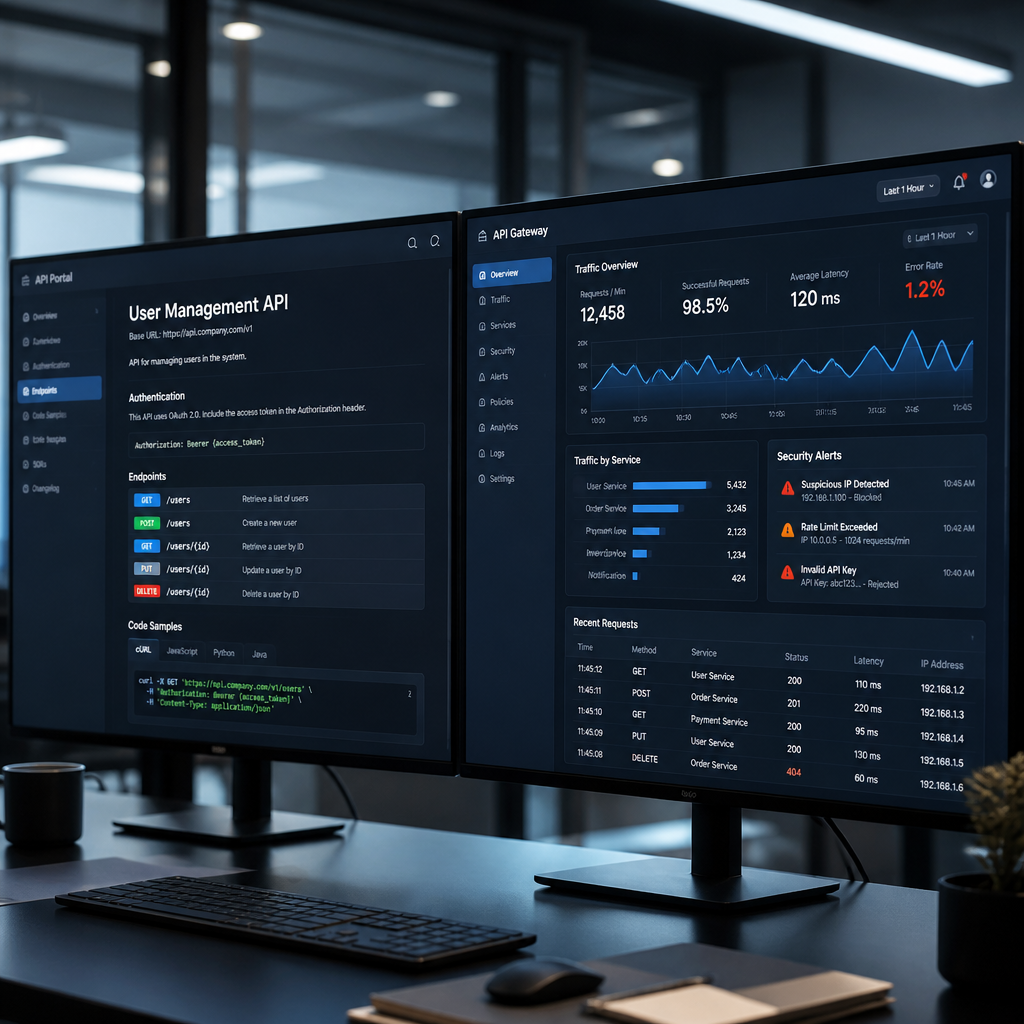
While both API portals and API gateways are critical components of a comprehensive API management strategy, they serve distinct purposes and operate at different layers of the API ecosystem. Understanding their differences is essential for successful API implementation and governance. The key difference lies in their function: the portal is for developer experience and discovery, while the gateway is for runtime traffic management and security.
An API portal is primarily a developer-facing interface focused on documentation, discovery, and onboarding. In contrast, an API gateway is a technical runtime component that acts as a single entry point for all API requests. It sits between the client and the backend services, _enforcing security policies and managing traffic for live requests_.
The following table breaks down their core differences:
| Feature | API Portal | API Gateway |
|---|---|---|
| Main Function | Serves as a “front door” for developers, providing resources for learning and integration. | Acts as a “traffic controller,” managing the flow of live API requests and responses. |
| Target Audience | Developers, technical writers, and product managers who consume APIs. | Backend systems, microservices, and operations teams managing API infrastructure. |
| Key Features | Documentation, code samples, API key management, interactive consoles, analytics dashboards. | Request routing, load balancing, authentication, rate limiting, caching, protocol translation. |
| Technical Layer | Operates at the presentation/application layer, often as a website or web application. | Operates at the network/application layer, acting as a reverse proxy or service mesh. |
Mike Amundsen, an API architect and author, provides a great analogy: “Think of the API gateway as the bouncer and traffic cop—it controls who gets in and directs traffic—while the API portal is the welcome center that helps visitors understand what’s available and how to use it. Organizations need both: the gateway ensures security and performance at runtime, while the portal ensures developers can successfully integrate. They’re complementary, not competing technologies.”
In a typical setup, the developer portal and API gateway work in tandem. A developer uses the portal to obtain an API key, and the gateway validates that key with every API call. Usage data collected by the gateway is then displayed on the portal’s analytics dashboards, providing developers with a complete feedback loop.
Advantages and Use Cases of an API Portal

What are the API Portal Benefits for Developers?
The benefits of an API portal for developers are tangible improvements that enhance productivity, shorten integration timelines, increase clarity, and provide better support. Ultimately, these benefits accelerate the delivery of new API-powered applications and features.
One of the most significant advantages is a Reduced Time-to-First-Integration. With self-service resources like interactive tutorials and clear onboarding flows, tasks that once took days can often be completed in minutes. This efficiency is highly beneficial for developers working under tight deadlines. Portals provide comprehensive self-service resources, including searchable documentation and FAQs, which empower developers to solve problems independently and reduce the burden on support teams.
Interactive testing capabilities, such as sandboxes and “Try it out” functions, allow for hands-on experimentation without writing production code, which speeds up learning and minimizes errors. A 2023 study found that developers using well-designed API portals reported 68% higher satisfaction and 54% fewer integration errors.
Transparent usage monitoring through real-time dashboards builds trust and allows developers to manage their integrations proactively. Effective version management and clear communication about API changes also help developers plan for updates. _Developers must update their code to remain compatible with breaking changes to avoid service disruptions._ Community learning features like forums further enhance the developer experience by creating a supportive ecosystem for peer-to-peer assistance.

API Portal Examples
API portal examples from leading technology companies serve as valuable benchmarks, showcasing best practices in documentation, developer experience, and design. Successful API portals share common design patterns focused on creating an intuitive and highly usable developer experience.
- Stripe API Portal: Often considered a gold standard, Stripe’s portal is renowned for its exceptional ease of use. It features interactive code samples in over eight languages, a live testing function, and detailed, task-oriented guides that contribute to high developer satisfaction.
- Twilio API Portal: Specializing in communication APIs, Twilio provides extensive documentation, interactive API explorers, and quickstart guides designed to achieve integration within five minutes. It also fosters a strong developer community through active forums.
- GitHub API Portal: This portal offers comprehensive documentation for its REST and GraphQL APIs, detailed guides on authentication, and transparent information on rate limits. It is a prime example of how to document a complex and powerful API ecosystem effectively.
- Google Cloud API Portal: As a central hub for over 200 Google Cloud APIs, this portal features automatically generated documentation, client libraries in eight languages, and an API Explorer for in-browser testing.
- Spotify Web API Portal: This is another strong example, providing clear OAuth 2.0 authentication guides, detailed endpoint references, and a console for testing. It also inspires developers by showcasing applications built by the community.
- PayPal Developer Portal: This robust portal for financial services offers sandbox accounts with test credentials, transaction simulators, and comprehensive compliance documentation, making it easier for developers to build secure payment integrations.
Analysis of top public platforms reveals common traits: 94% offer interactive documentation, 88% provide code examples in five or more languages, and 82% include sandbox environments. These statistics underscore the features that developers value most.

Building and Managing an API Portal

How to Build an API Portal
Building an API portal is a strategic process that involves selecting appropriate technology, designing a developer-centric information architecture, and implementing core features for documentation, security, and testing. The primary goal is not just to provide information, but to actively enable developer success. The process involves several key considerations:
- Build vs. Buy Decision: Organizations must decide whether to build a custom portal or use a commercial or open-source solution. Building offers full control but requires more time and resources (3-6 months). Using an API management platform with built-in portal features (e.g., Apigee, MuleSoft, Kong) can accelerate deployment to 2-4 weeks but may offer less flexibility.
- Automated Documentation Generation: To ensure accuracy and consistency, use tools like Swagger UI or Redoc to automatically generate interactive documentation from OpenAPI specifications. Integrating this into a CI/CD pipeline keeps documentation synchronized with API changes.
- Core Architecture: A typical architecture includes a modern frontend framework (like React or Vue), a backend API to manage user accounts and analytics, an authentication service (OAuth 2.0), a Content Management System (CMS), and an analytics platform.
- Developer Onboarding Flow: Design a frictionless registration and API key provisioning process. A “getting started” guide that leads to a successful first API call in under 10 minutes is a benchmark for an excellent onboarding experience. _It is critical to never display full API keys in the interface after their initial generation._
- Interactive API Console: Integrate an interactive console or API explorer to allow developers to test endpoints directly in the browser. This hands-on capability is a major differentiator for a successful portal.
- Content and Search Strategy: Organize content logically with a clear hierarchy (e.g., getting started, tutorials, API reference). Implement powerful search functionality with tools like Algolia or Elasticsearch to help developers find information quickly.
James Higginbotham, an API consultant and author, advises: “When building an API portal, resist the temptation to start with technology choices. Begin with developer journey mapping—understand what questions developers have at each stage, what blockers they encounter, and what success looks like. The best portals are built iteratively: launch with solid documentation and authentication, then add features based on actual developer feedback and analytics showing where people get stuck.”
Finally, integrate analytics to track developer behavior and portal performance, and build in security from the start by enforcing rate limits, providing for key rotation, and securing all communications.

API Portal Best Practices
API portal best practices are established strategies that optimize the developer experience, reduce integration friction, and maximize API adoption. Adopting a “documentation-driven development” approach ensures that documentation acts as the primary specification, greatly reducing inconsistencies.
- Documentation-First Approach: Write documentation before or during API development, not after. This ensures that the documentation is a reliable source of truth and stays aligned with the API’s functionality.
- Progressive Disclosure: Structure content from simple to complex. Begin with a quickstart guide, move to task-based tutorials, and then offer a comprehensive API reference. This prevents overwhelming new users.
- Working Code Examples: Provide copy-paste-ready code samples in the top 5-7 programming languages used by your target audience. Ensure these examples are tested, runnable, and updated with each API version.
- Consistent Information Architecture: Use predictable navigation, breadcrumbs, and a prominent search bar to create an intuitive and easy-to-use interface.
- Transparent Version Management: Clearly document the current API version, maintain documentation for previous versions, provide migration guides, and announce deprecations well in advance (6-12 months).
- Thorough Error Documentation: Document all possible error codes with clear explanations and actionable troubleshooting steps. Well-documented errors can reduce support ticket volume by over 45%.
- Performance and Reliability Data: Build trust by publishing your Service Level Agreement (SLA), displaying a real-time API status page, and documenting rate limits and recommended retry strategies.
- Community Enablement: Foster a vibrant developer community through forums, Slack/Discord channels, and active engagement from developer advocates.
- Feedback Mechanisms: Include “Was this helpful?” widgets and easy-to-find channels for reporting documentation errors or suggesting improvements. Acting on feedback demonstrates a commitment to the developer community.
- Mobile-Responsive Design: Ensure the portal is fully functional and readable on mobile devices to accommodate developers who access documentation on the go.


Hi, I’m Anna Smith, the founder of API Dev Note.
I’m an API specialist with experience working with APIs, integrations, and web development. Through hands-on projects, I’ve learned that understanding how APIs work in real-world environments is just as important as reading the documentation.